

analogerer Plugins
Located in the Black Forest in Germany, SonicWorld has been known for servicing analog Recording Studioequipment for over 25 Years.
Now we put our knowledge in creating outstanding plugins


Scalable up to 2000x1320 pixelsBundle Offer: Get Telsie T and Telsie S for only 119,-- EUR / 129 USD
--
Bundle Offer: Get Telsie T and Telsie S for only 119,-- EUR / 129 USD --
10 days free trial
Activate up to 2 machines
AU, VST3, AAX Native and AudioSuite
SonicWorld Telsie T – Smooth Precision from a Broadcast Classic
The SonicWorld Telsie T is a 3-band equalizer plug-in modeled after the legendary W695 equalizer from the 1970s—an iconic module celebrated for its silky smooth high frequencies and tight, controlled low end.
Originally designed for broadcast consoles built for the Association of German Public Broadcasters (ARD), the W695 was part of a new generation of solid-state technology that defined professional audio in its era.
Alongside renowned modules like the V676 microphone preamp, the W695 became a trusted tool in broadcast environments.
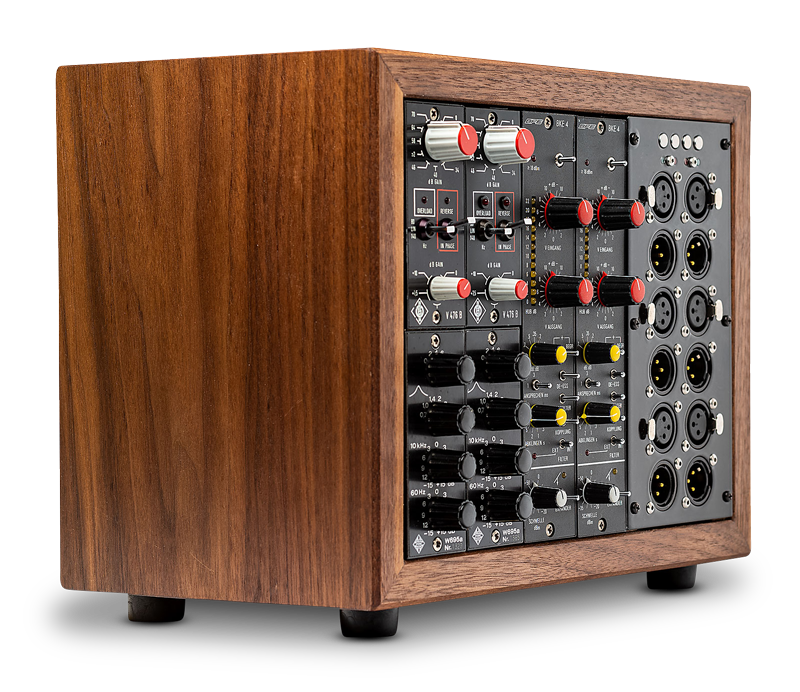
Telsie T faithfully captures the unmistakable sonic signature that continues to make the original hardware a “secret weapon” for engineers: smooth, refined highs and focused bass that enhance clarity without harshness.
Built on decades of hands-on experience servicing and restoring these rare analog units, SonicWorld brings you the authentic character of the W695—without the drawbacks of aging hardware such as noisy switches, worn components, or hard-to-source parts.
Enhanced for modern production, Telsie T combines vintage tone with improved reliability, flexibility, and seamless integration into today’s workflows.
The features of the W695 and Telsie T:
Telsie T follows the original hardware design with a musical 3-band EQ, featuring a low-shelf and two peak filters for precise tonal shaping. The low band delivers powerful ±15 dB at 60 Hz, while the high band at 10 kHz adds smooth clarity and shine.
A flexible mid-band presence filter with six selectable frequencies lets you shape definition and bring your sound forward with ease.
The additional benefits of the Telsie T plug-in:
Extended Low-End Control:
Go beyond the original design with expanded low-frequency shaping:
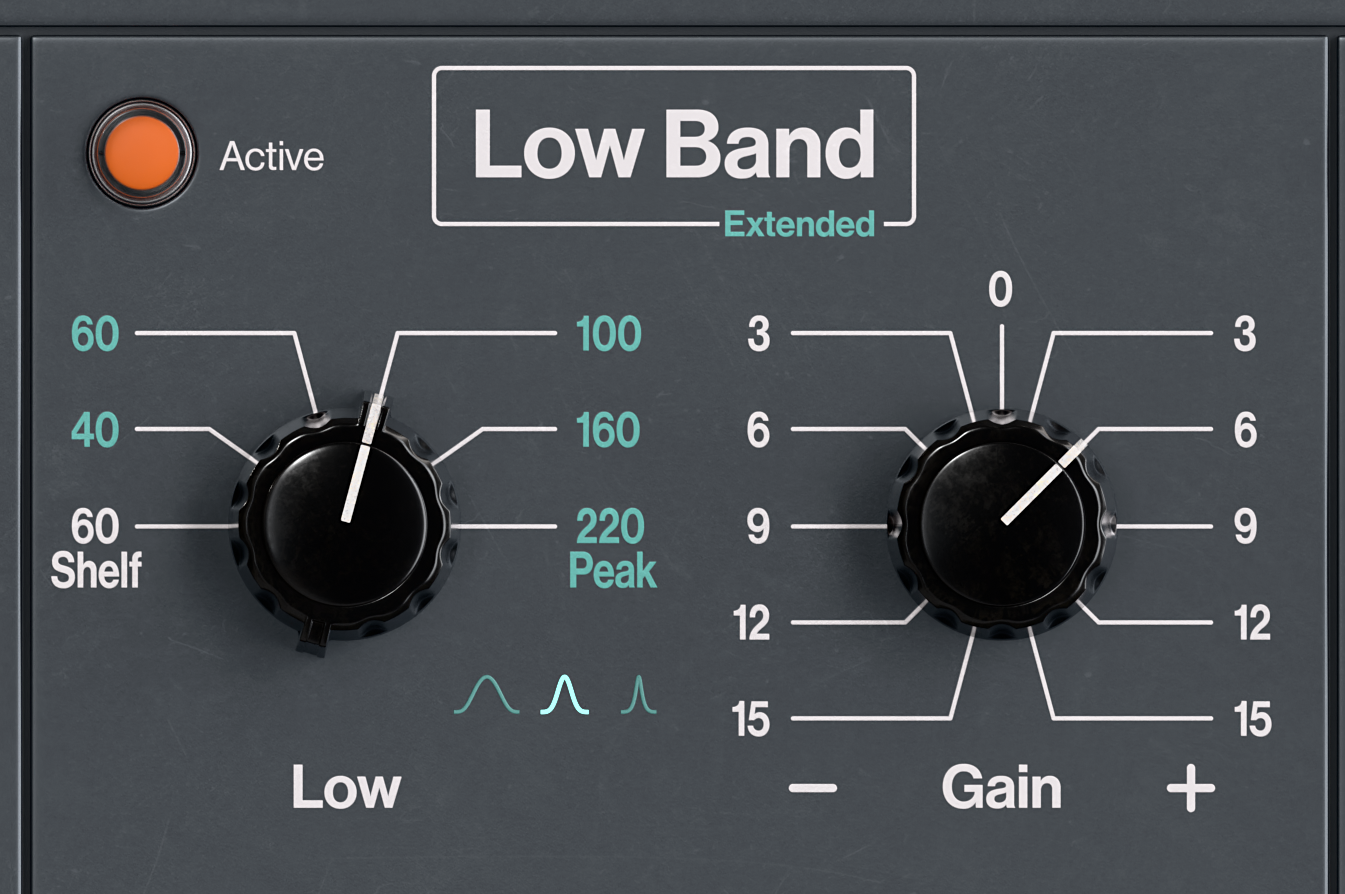
Additional peak filter frequencies at 40, 60, 100, 160, and 220 Hz
Three selectable Q settings:
Broad (1 octave)
Medium (0.5 octave)
Narrow (0.25 octave)
This allows anything from gentle tonal enhancement to precise low-end sculpting—far beyond the original 60 Hz shelf.
Flexible Mid-Band Presence:
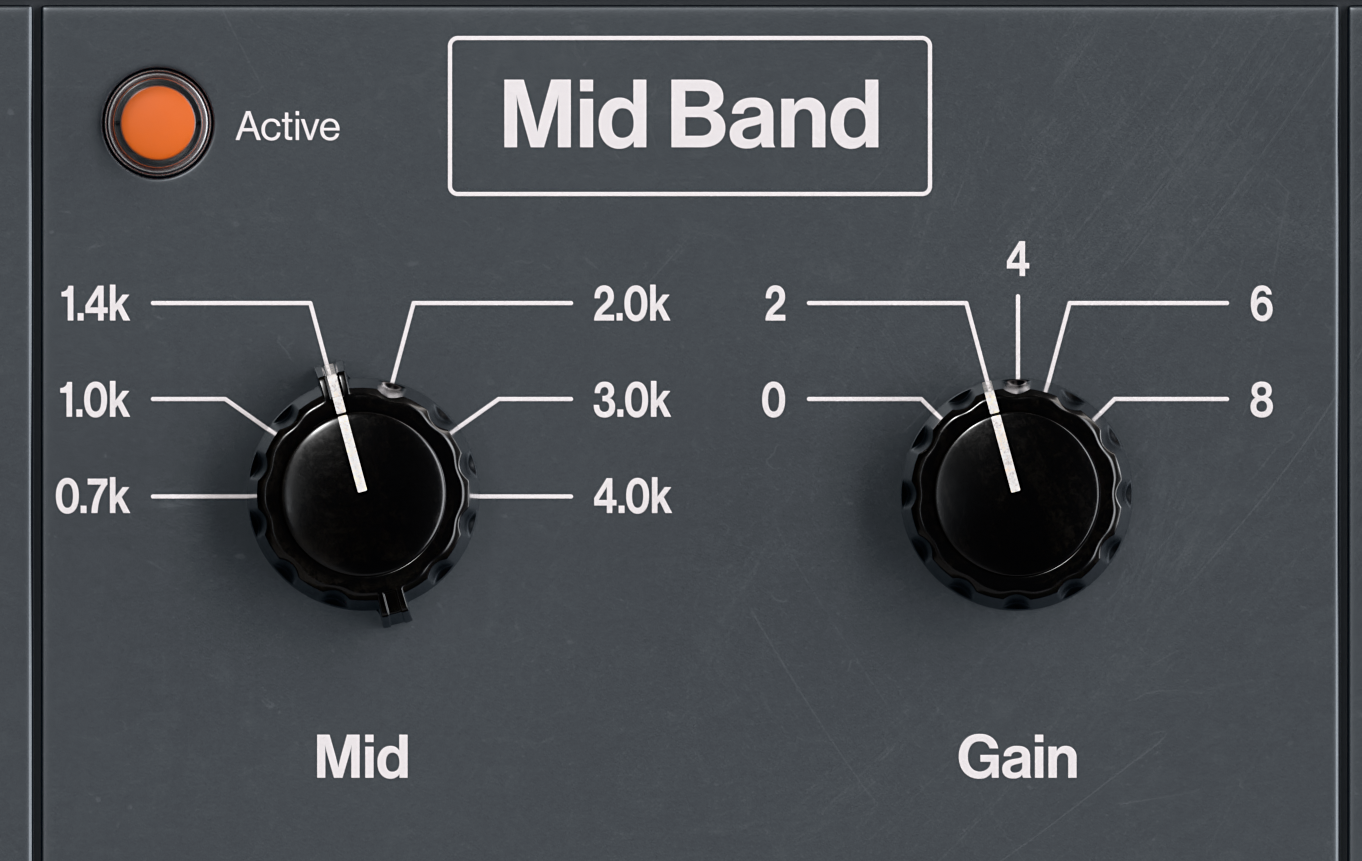
The mid band acts as a powerful presence filter with:
Frequencies at 0.7, 1, 1.4, 2, 3, and 4 kHz
Up to +8 dB boost in 2 dB steps
Perfect for adding clarity, definition, and forwardness to any source...
Enhanced High-Frequency Shaping:
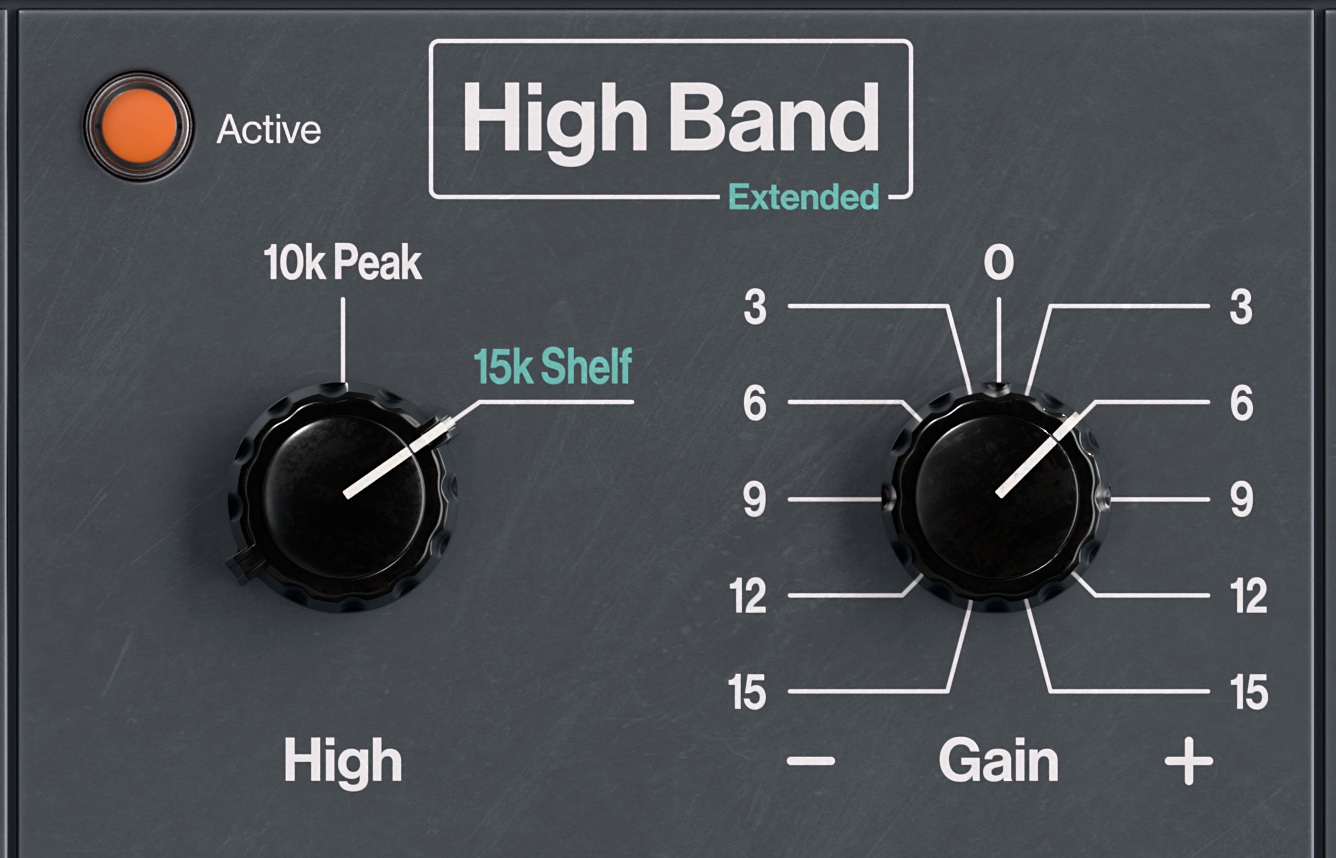
Classic 10 kHz peak filter for smooth brilliance
Optional 15 kHz high-shelf filter for airy top-end
Up to ±15 dB gain in 3 dB steps
Dial in everything from subtle sheen to open, sparkling highs
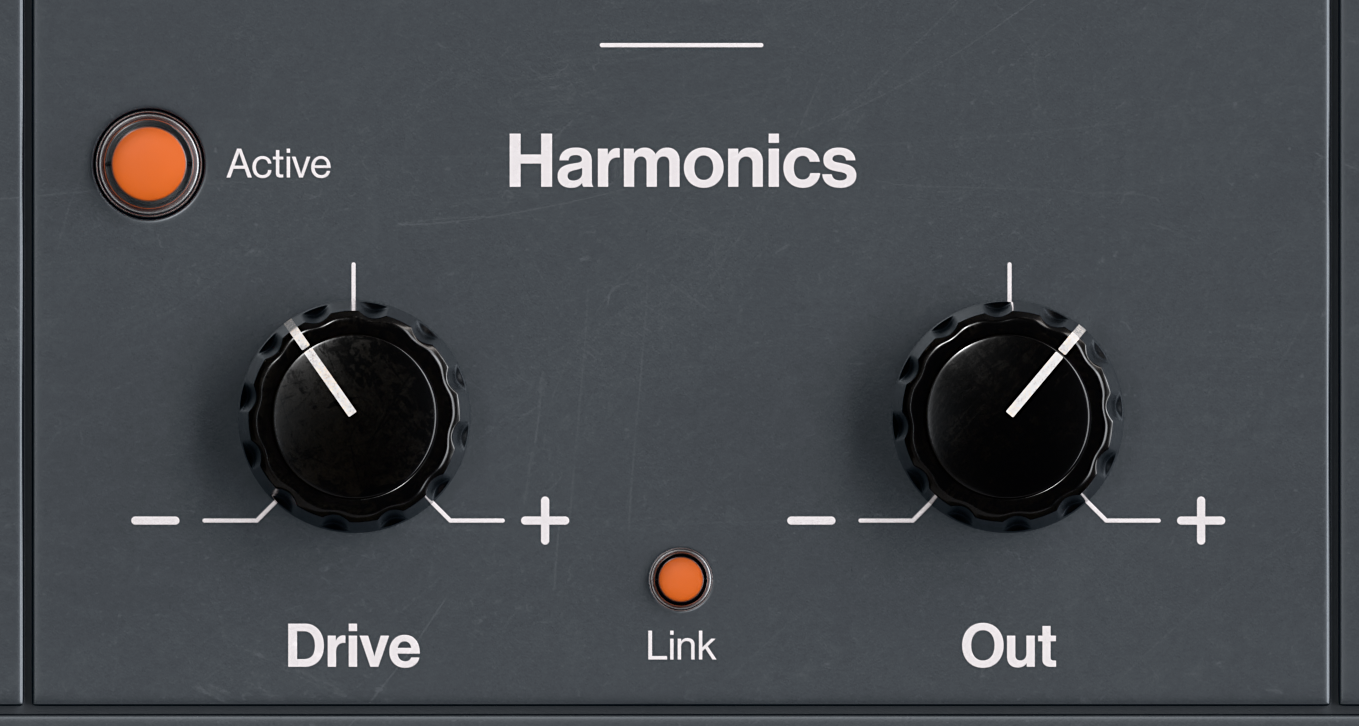
Harmonics function:
Each band includes a dedicated harmonics stage:
Drive: Adds harmonic richness and saturation
Out: Compensates output level
Link switch: Controls whether Drive and Out are coupled
From subtle warmth to aggressive coloration, Telsie T gives you full control—while preserving clarity and musicality.
Low Cut/ High Pass and High Cut/Low Pass Filter:
Clean and shape your signal with:
Low Cut (High Pass) and High Cut (Low Pass) filters
Freely adjustable cutoff frequencies
Gentle –12 dB/octave slope
Perfect for removing rumble, taming harshness, and creating space in a mix.

X-Over Control (Low/Mid & Mid/High Bands):
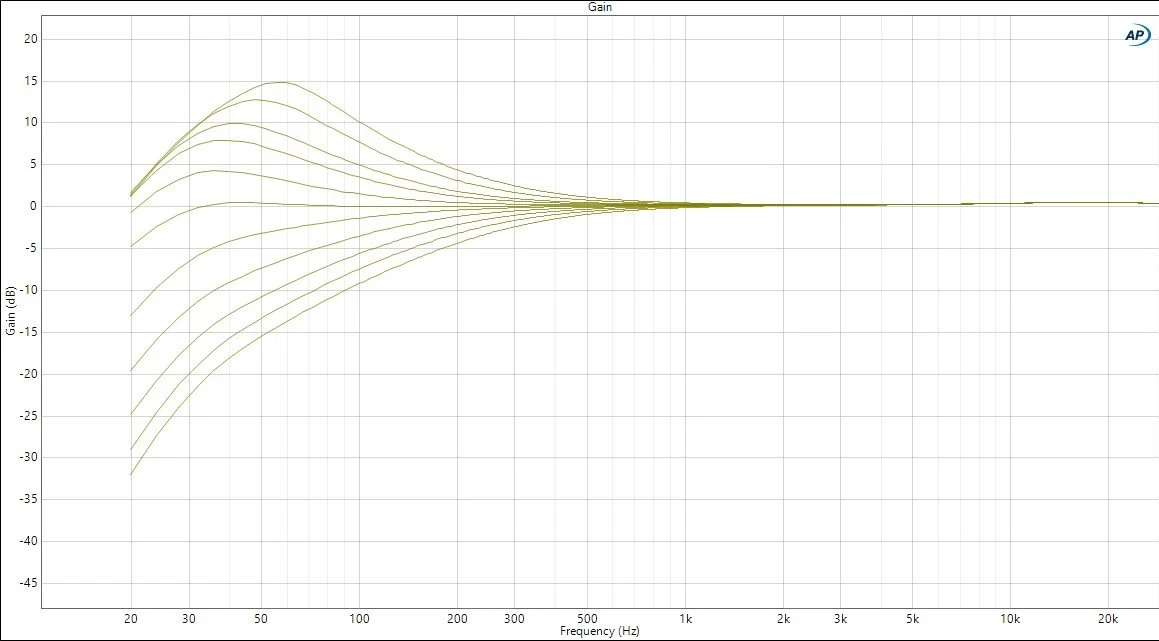
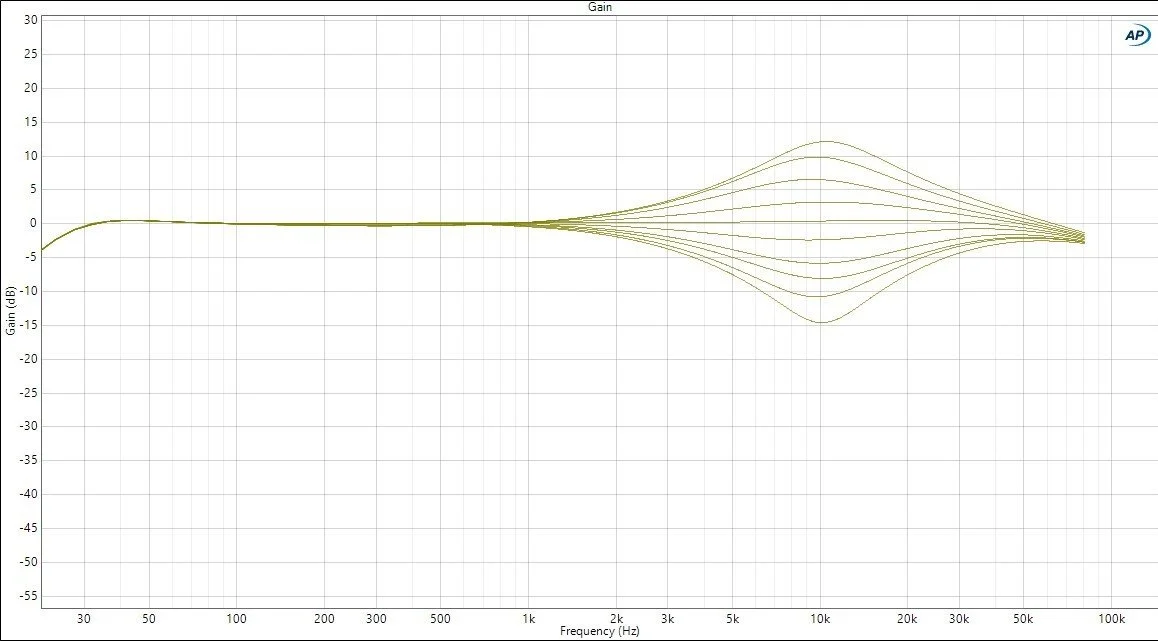
In the original analog W695, the low and high bands feature extremely wide filter curves. As a result, adjustments at the 60 Hz shelf can influence frequencies up to around 2 kHz, while the 10 kHz peak band already affects content starting from approximately 200 Hz.
While this broad interaction is part of the classic sound, it can also lead to unintended processing of frequency areas that you may not want to affect.
This is exactly where the X-Over controls come into play.
They allow you to define the crossover points at which the three EQ bands interact within Telsie T. The default settings are 500 Hz (Low/Mid) and 7 kHz (Mid/High), providing a balanced and musical starting point while keeping the presence range clearly defined.
By adjusting these crossover points, you can reshape how each band behaves across the spectrum and tailor the EQ response to different mixing situations. For example, you can tighten the low band to focus energy below 220 Hz for a stronger vocal foundation, or reduce overlap by lowering the Low/Mid crossover. Similarly, raising the Mid/High crossover allows you to boost high frequencies more precisely without unnecessarily affecting lower midrange content.
This level of control makes it significantly easier to achieve focused, intentional EQ results across a wide range of sources.
We recommend exploring the included presets to quickly experience how powerful this feature can be.

Linear Phase Switch
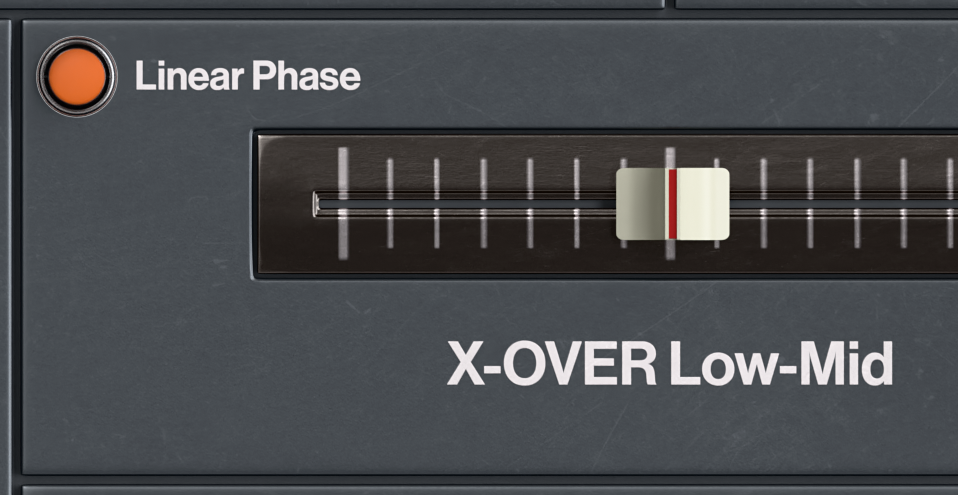
The Telsie T uses a carefully designed nonlinear filter topology for its crossover network, chosen for its musical and natural sound character. However, in multitrack situations—such as drum recordings—this design can introduce phase interactions between channels.
To address this, Telsie T includes a Linear Phase mode, which provides an alternative filter behavior with a more phase-linear response. This helps maintain phase coherence across complex, multi-microphone recordings and ensures a more transparent and controlled stereo image.
When Linear Phase is activated, the Low Cut and High Cut filters are automatically disabled to preserve the integrity of the phase-aligned processing.
This mode is ideal when maximum accuracy and phase consistency are required, while the standard mode remains the preferred choice for musical, analog-style coloration.
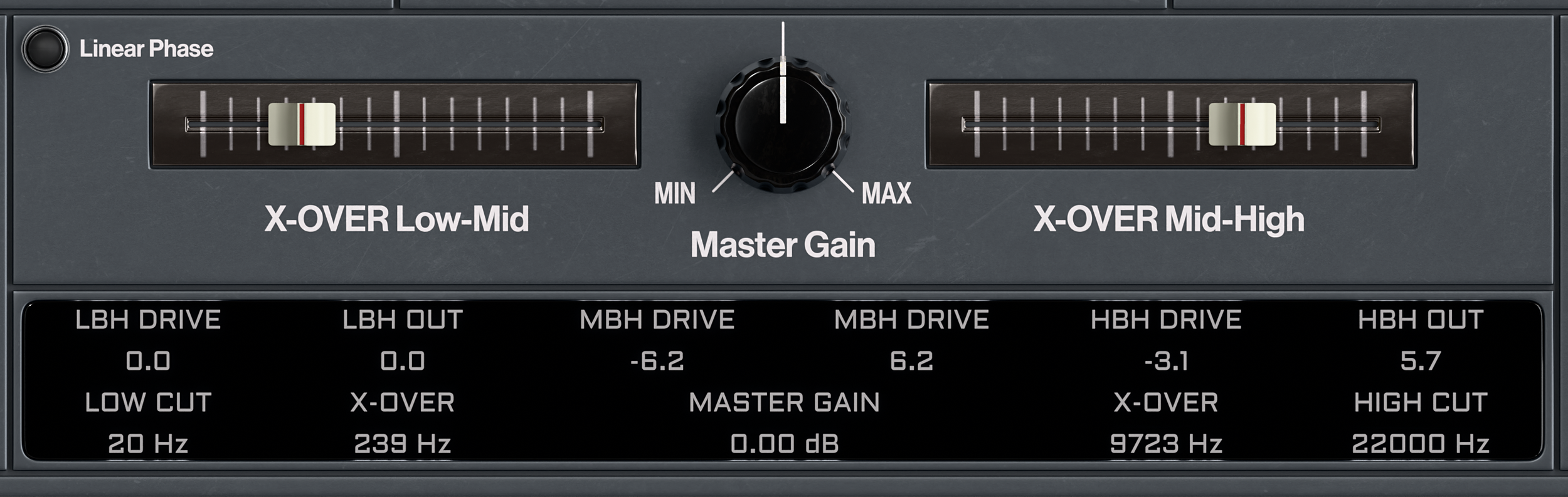
Master Gain and Parameter Bar:
The Master Gain control is used to compensate for any level changes introduced by EQ processing or harmonic saturation. It ensures consistent output levels while shaping your sound. Clicking the control resets it instantly to 0 dB for quick A/B comparison.
The Parameter Bar provides a clear overview of all key settings at a glance. It displays the current values of the harmonic stages for each band—LBH (Low Band Harmonics), MBH (Mid Band Harmonics), and HBH (High Band Harmonics)—as well as the Low Cut and High Cut filter positions, both crossover frequencies, and the Master Gain level.
This gives you full transparency and precise control over the entire signal path at all times.
The following platforms are supported:
Windows: Windows 11 • 64-bit • VST3, AAX Native and AudioSuite
MacOS • macOS 10.15 or later (64-bit only) • AU, VST3, AAX Native and AudioSuite
Apple Silicon or Intel processor